
Your Statistics interface is divided in 5 sections:
-
Global Trend: this give you an overview of the evolution of your campaigns key KPIs
-
Detailed View: this helps you get a better understanding of what's happening at Category and Offer levels.
-
Data export: Raw data exports are available in CSV and XLS format on this page.
-
API Credentials: You can generate the token needed to access your statistics via API on this page
-
Automatic Reports: Schedule automatic summary reports to be sent via email
Important note
Data discrepancies can sometimes arise between our Kelkoo Sales Tracking reporting and other tools such as Google Analytics. These discrepancies can be caused by a variety of factors among which bad tag setup or different conversion windows, filtering rules and attribution models between tools. Kelkoo Sales Tracking is a tracking with visibility on Kelkoo traffic only, with a conversion window of 30 days. All users clicking on a KelkooGroup ads and buying one of your product within 30 days will be counted as a conversion.
For more information, please read How to use your analytics tool to track Kelkoo Group traffic and performance
Metrics selection
You can get the view your want with the available selectors:
-
Period of time: Custom or predefined periods
-
Device: All devices / Desktop / Mobile (Note: Tablet traffic is aggregated with Desktop)
-
Category: All categories / Single category (Note: Those are Kelkoo Group own categories. Please referts to the CPC Rate Card section of the Campaign Settings page to get the full list)
Global Trend
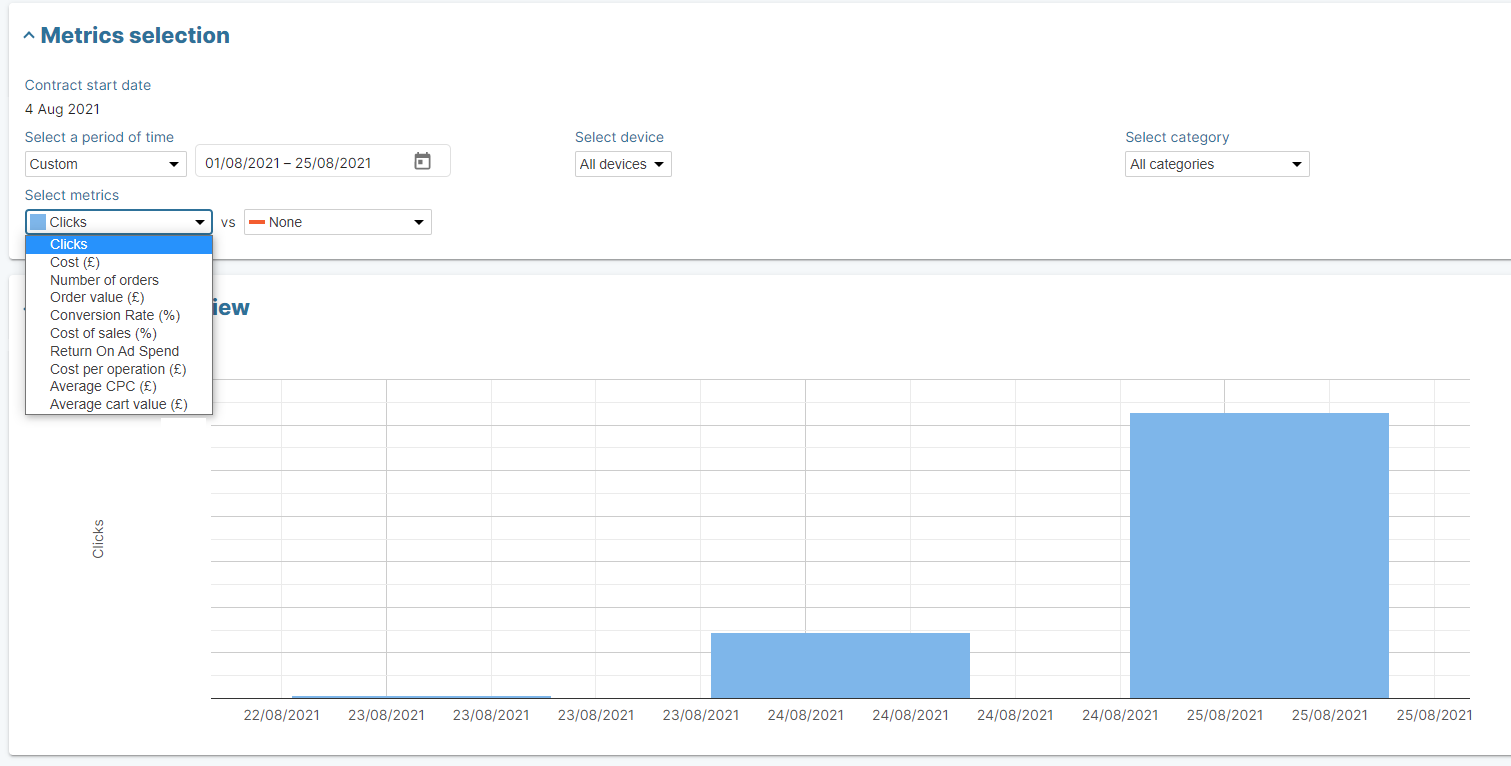
On this view, you can follow the daily evolution of your campaigns key KPI:
-
Clicks: number of times your offers have been clicked on the Kelkoo network for the day selected. This is not the number of session usually reported by tools such as Google Analytics.
-
Cost: cost of the clicks you receive from Kelkoo calculated as CPC * number of clicks
-
CPC: the fee charged each time an offer is clicked by a user in the Kelkoo Network (If you average value based on click on desktop and mobile devices)
-
Number of sales: number of orders you made on your website thanks to Kelkoo traffic (See important note above)
-
Order value: revenues generated from the traffic Kelkoo is sending
-
CR: Ratio in % between the number of orders and number of clicks
-
COS: cost of the clicks generated by Kelkoo divided by the revenues generated from the traffic Kelkoo is sending
-
ROAS: Ratio between Sales revenue generated by a Campaign and its Cost. Opposite of COS.
-
CPO: cost of the clicks generated by Kelkoo divided by the number orders you made thanks to the Kelkoo traffic
-
Average Cart: ratio between revenues generated from Kelkoo traffic and the number of orders
Detailed View
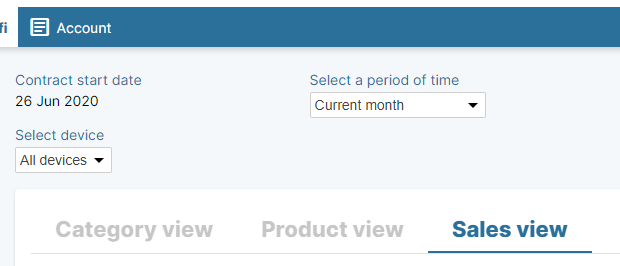
In this section, you can follow your campaign KPIs by category or offer on the time period of your choice.
Categories view
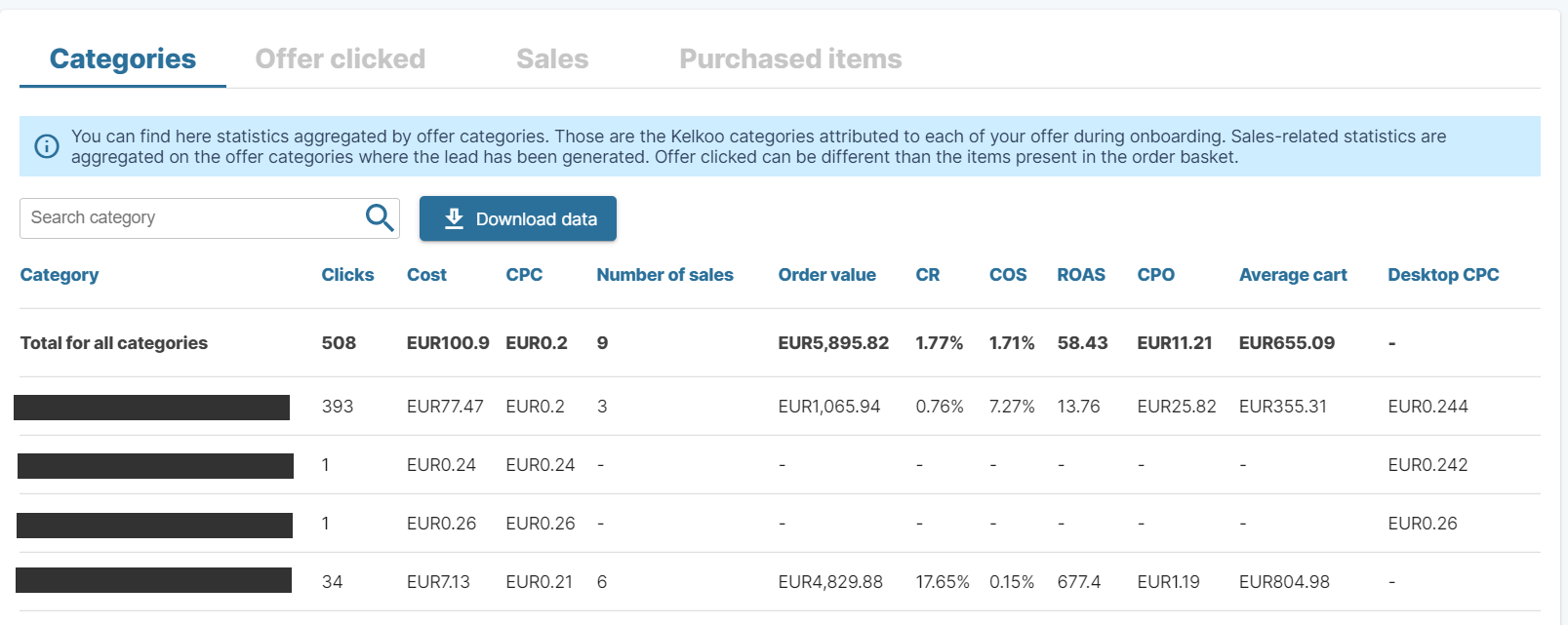
In this section, you can get the key KPIs of your campaigns agregated by offer categories, based on Kelkoo Category tree. Those are the Kelkoo categories attributed to each of your offer during onboarding. Sales-related statistics are aggregated on the offer categories where the lead has been generated. Offer clicked can be different than the items present in the order basket.
Offer Clicked view
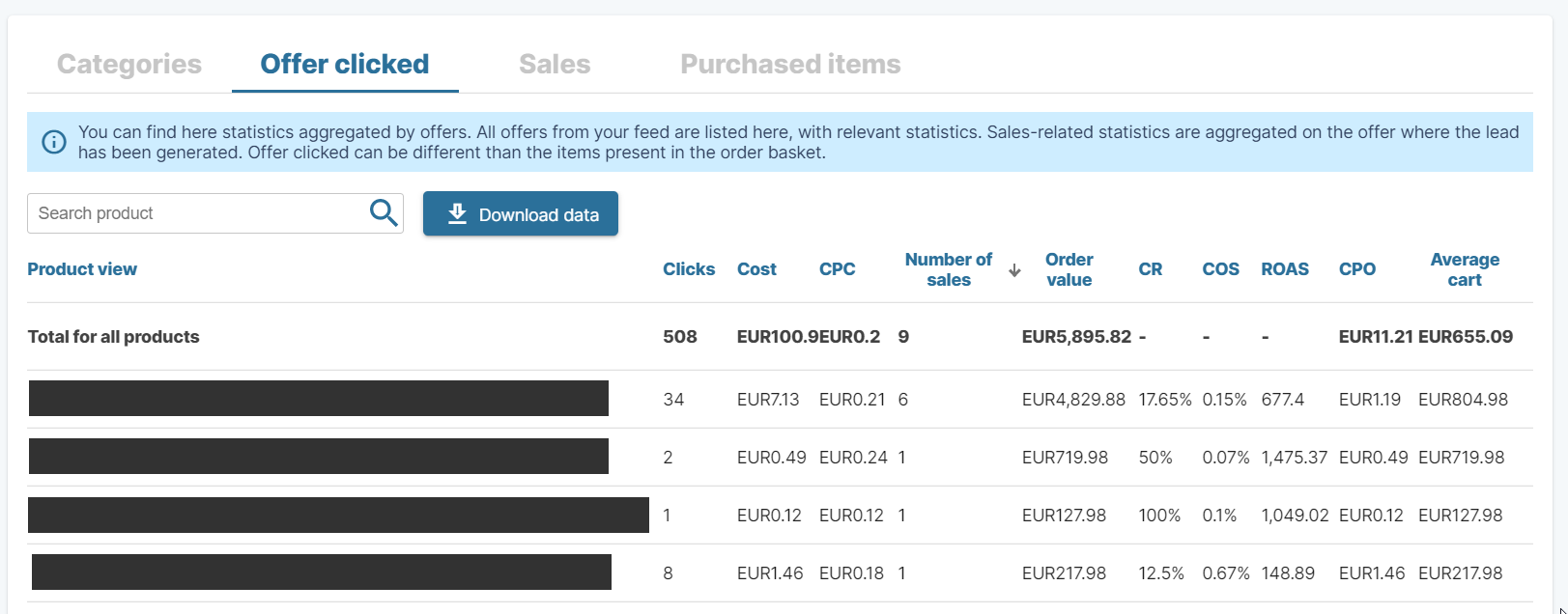
In this section, you can get the list of your offer with key KPIs related to the sales they generated. You can find here statistics aggregated by offers. All offers from your feed are listed here, with relevant statistics. Sales-related statistics are aggregated on the offer where the lead has been generated. Offer clicked can be different than the items present in the order basket.
Sales view
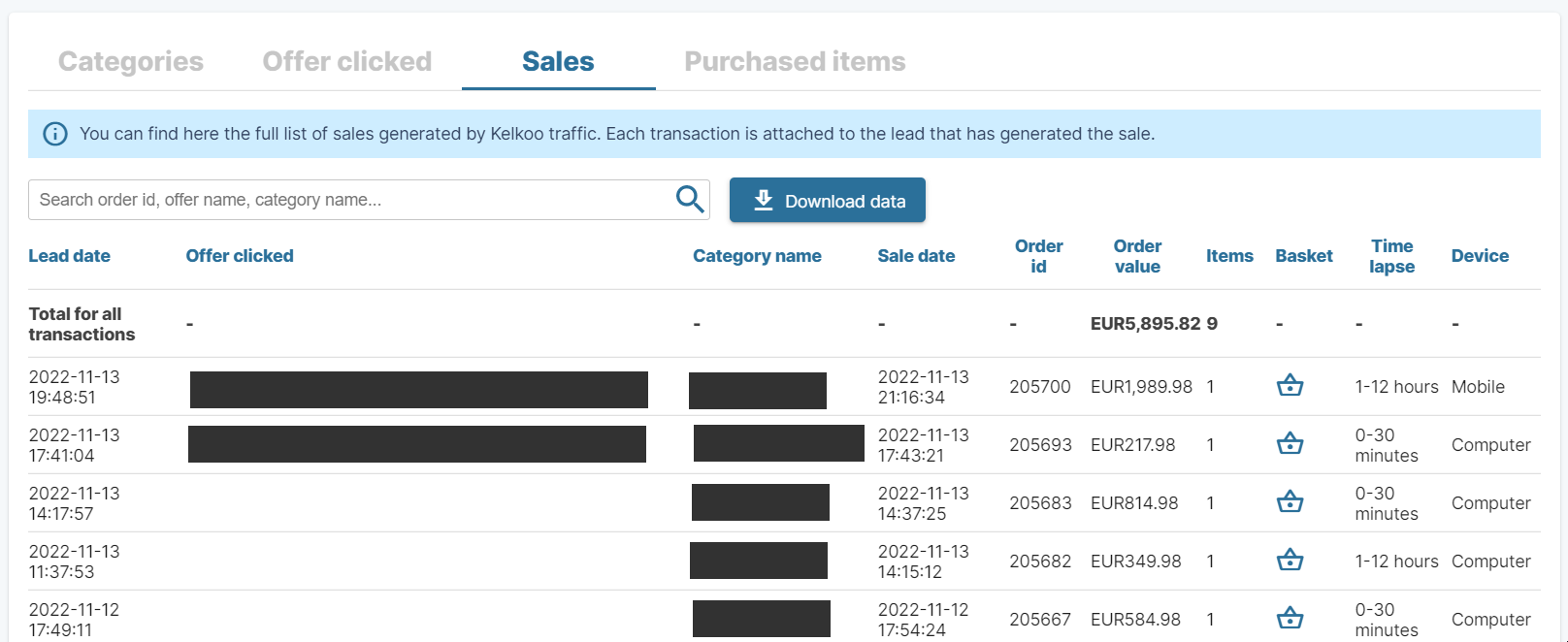
In this section, you can get the full list of Sales we've registered for your campaign (sales registered and consolidated by our internal system). Each transaction is attached to the lead that has generated the sale.
You can click on the basket icons to get the list of items purchased in this sale.
Purchased items view
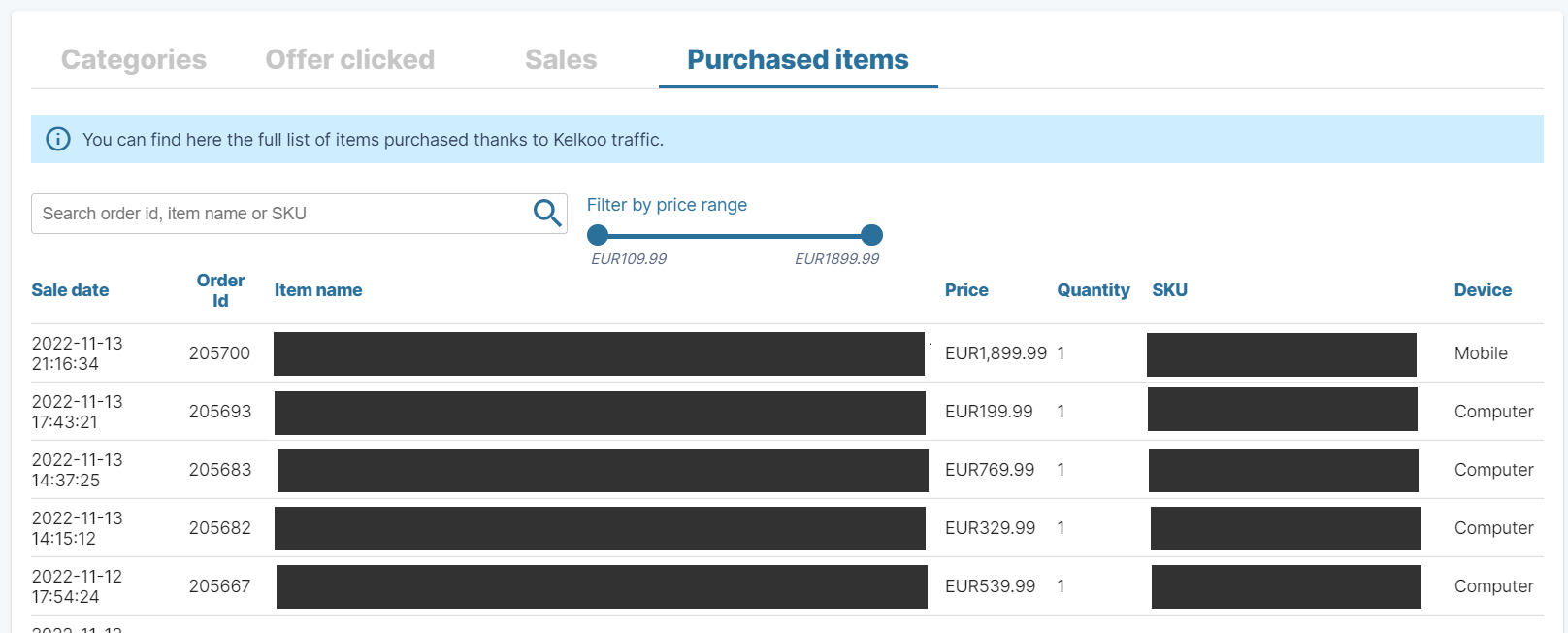
In this section, you can get the full list of products purchased on sales we've registered for your campaign (sales registered and consolidated by our internal system). This is the content of the basket you sent us via our Sales Tracking solution, so this table is filled only if the data is sent to us.
Data Export
-
Download CSV raw data or XLS templated data on the time period of your choice
API Credentials
see Merchant Statistics API for more details.
Automatic Reports
-
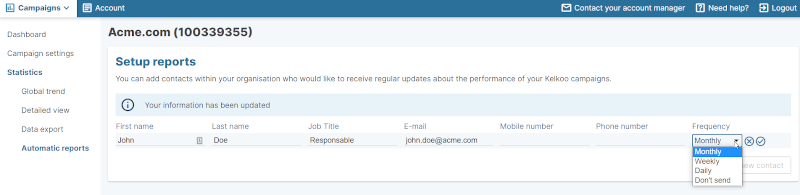
You can register email to send performance email on a regular basis: Daily, Monthly or Weekly.
-
Those emails give you a summary view of your different campaigns
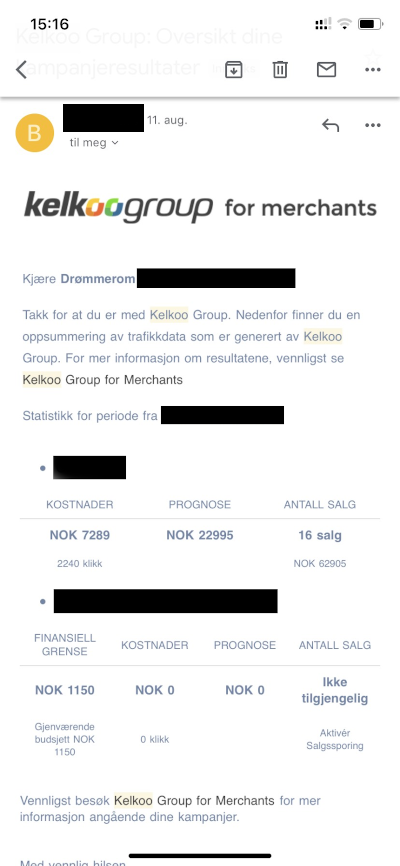
Important: the data is always from the 1st day of the current month until the day before the sent date
-
Those emails are sent in the morning. Time may vary depending on our internal processes.