To take full advantage of KelkooGroup’s smart pricing algorithms, we strongly encourage all our customers to implement KelkooGroup Sales Tracking (KST) on their website.
Additionally, we recommend connecting your analytics platform to KelkooGroup access (e.g. Google Analytics, Adobe Analytics). This enables us to proactively compare data, understand discrepancies, and align tracking methodologies. Transparency and alignment are in our mutual interest and key to maintaining a high-performing, efficient campaign.
Connect Your Google Analytics 4 Account To KelkooGroup
-
Log into your Google Analytics 4 account at https://analytics.google.com/
-
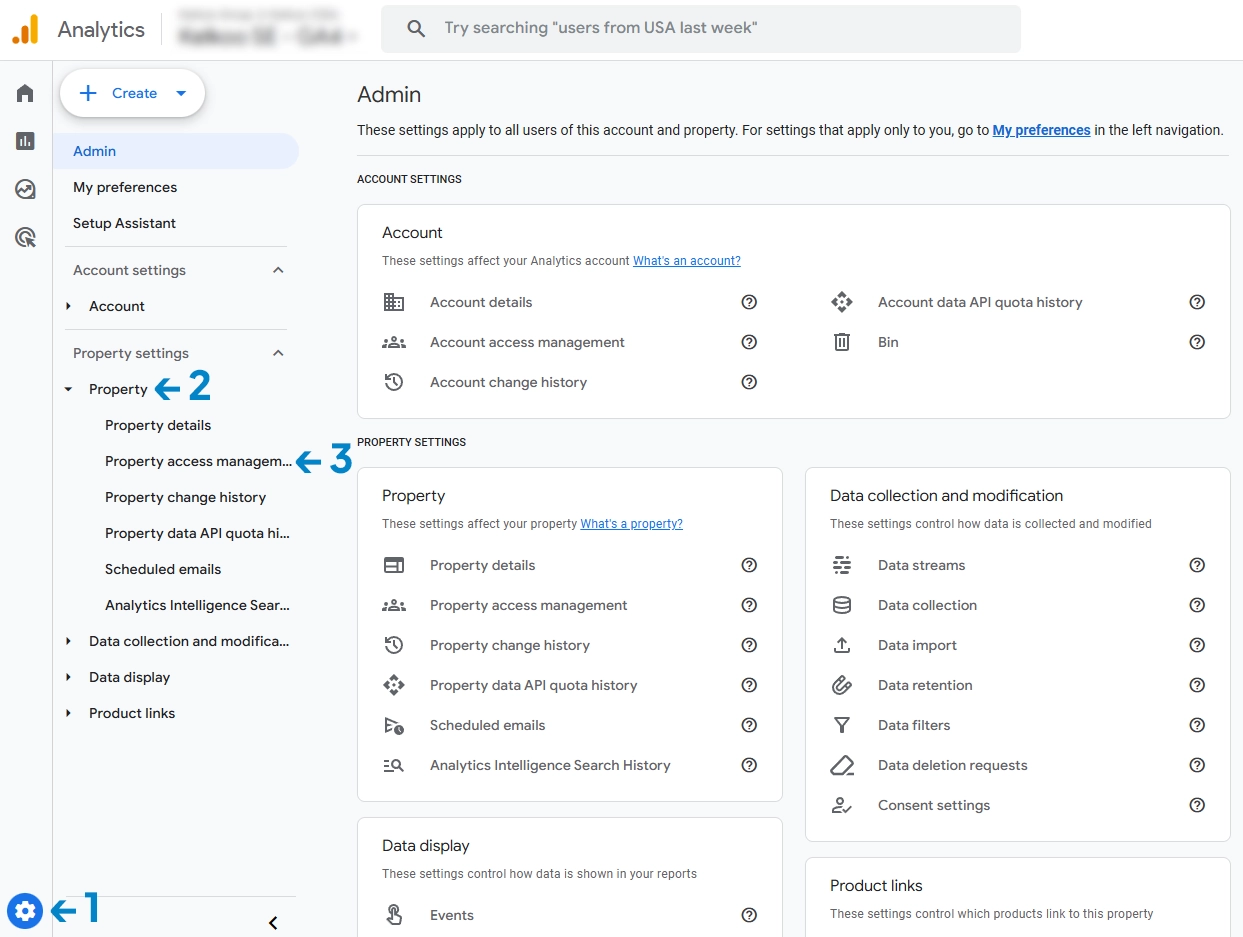
Go to
Admin > Property > Property Access Management -
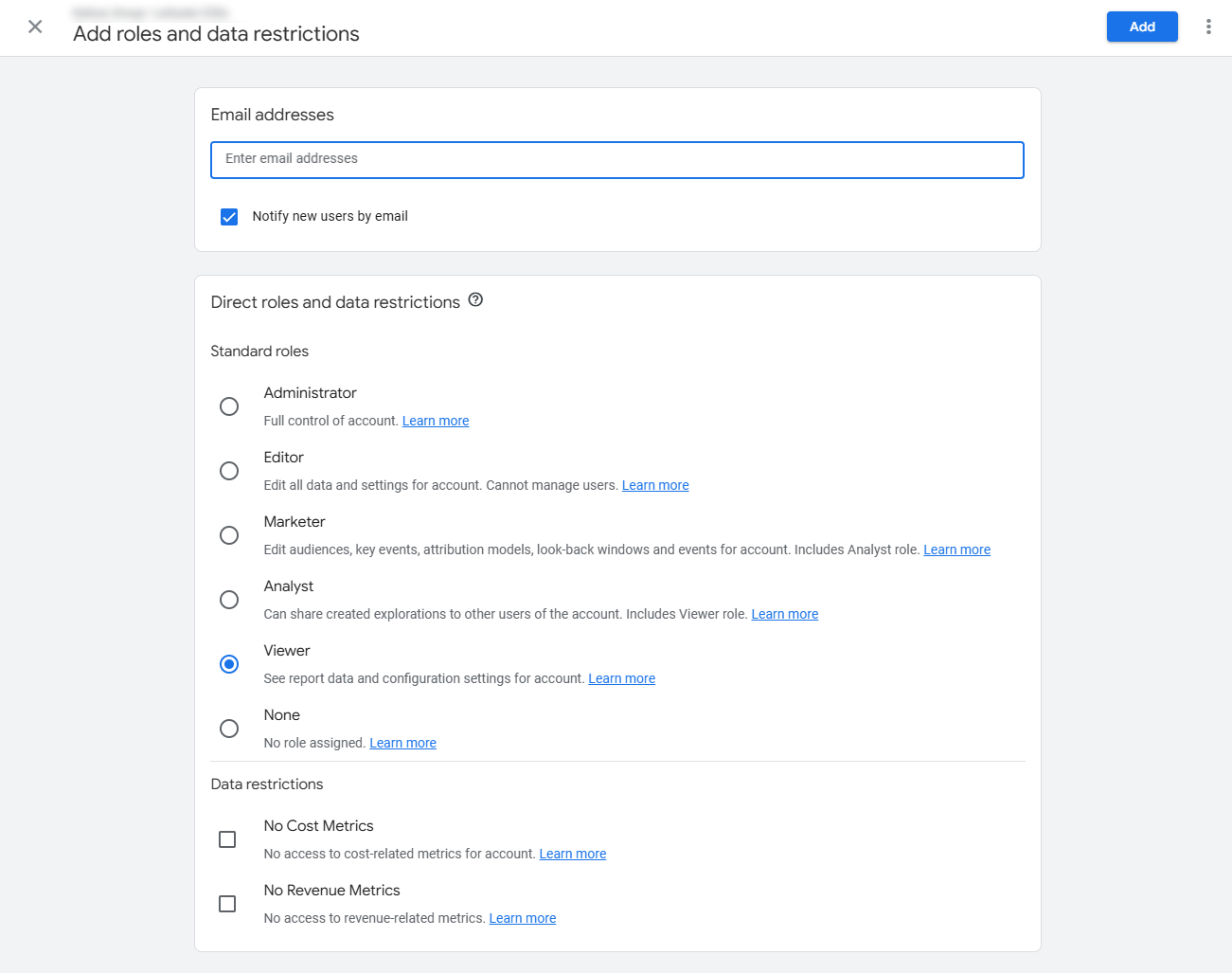
Click “+” at the top right, then
Add users -
Enter the email provided by your KelkooGroup account manager with viewer rights and click the "Add" button.
-
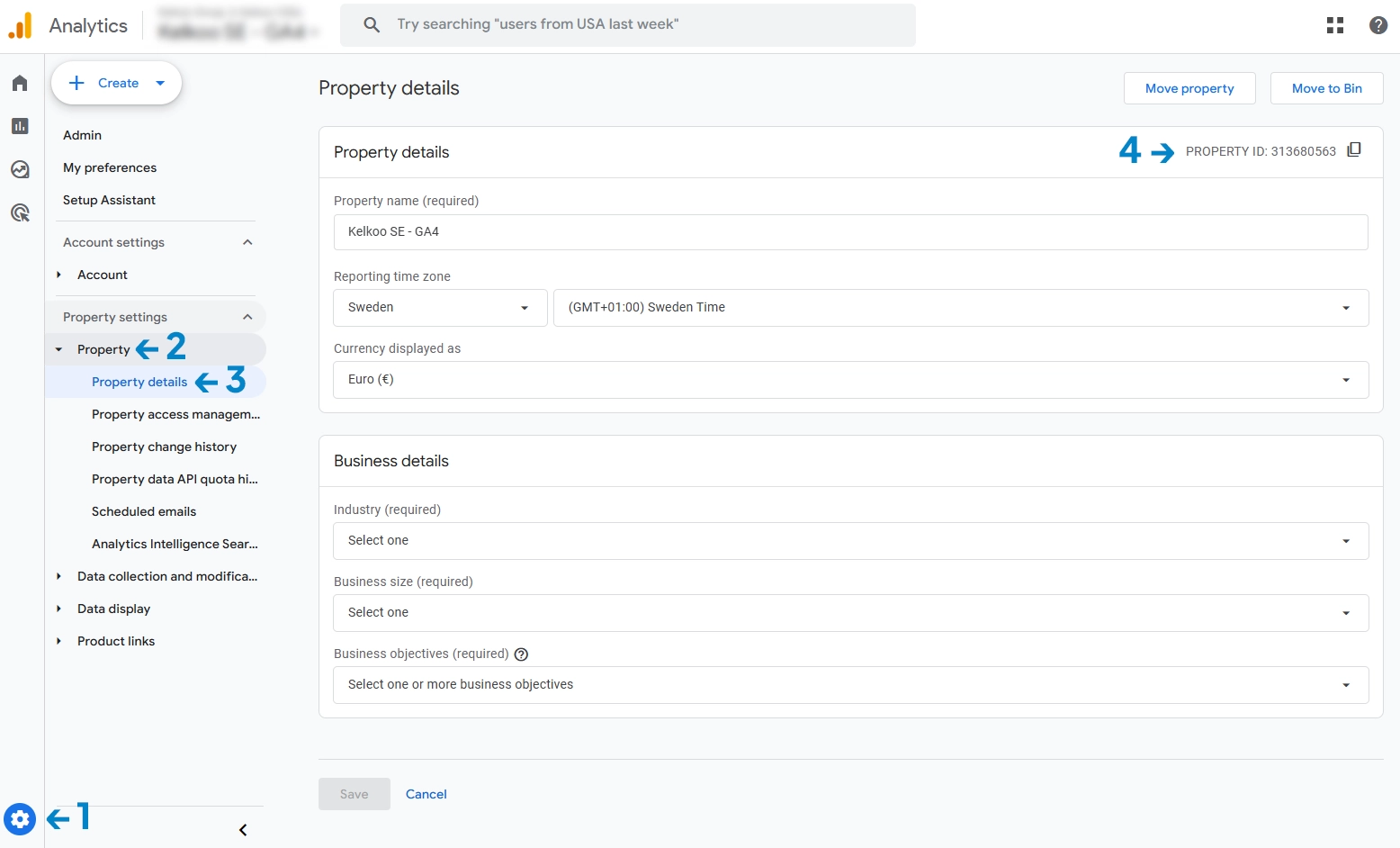
Then navigate to
Admin > Property > Property Details, find the property ID and send it to your KelkooGroup account manager to verify the connection.