
This plugin lets you generate a product feed on UNAS Ecommerce. Follow the steps below to install and configure it, then share your feed URL with your Kelkoo Account Manager.
How to generate feed using the Plugin
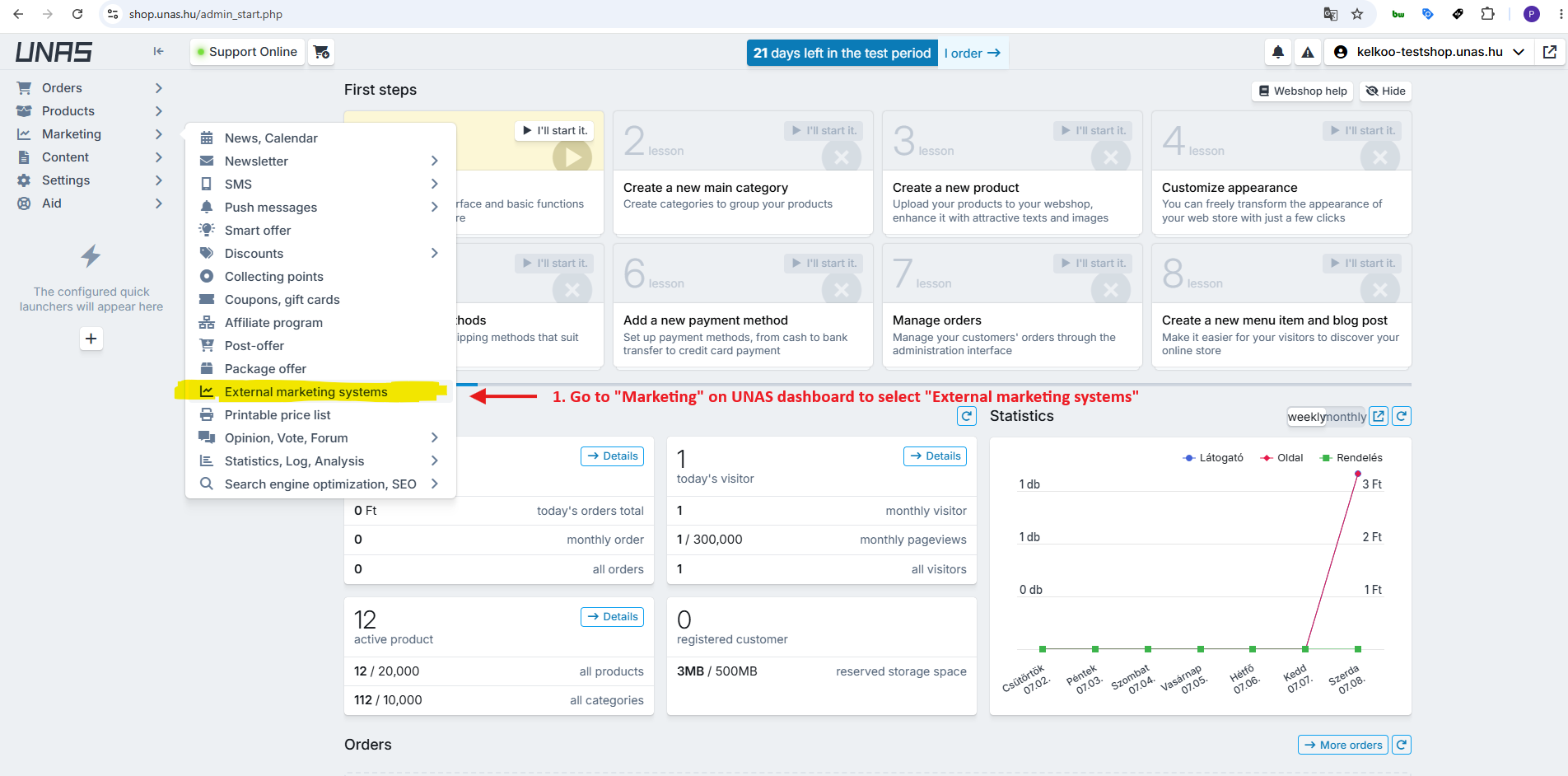
Step 1: Navigate to External Marketing Systems
Log in to your UNAS dashboard, then navigate to External Marketing Systems through the Marketing tab.
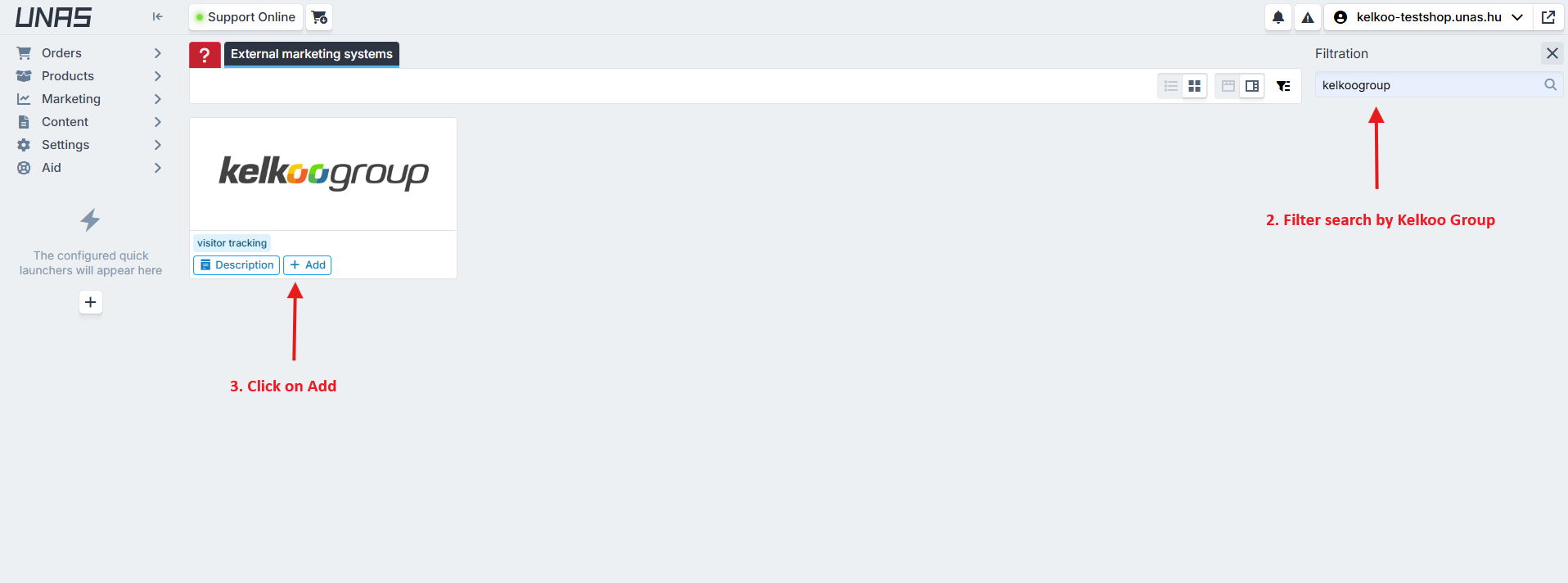
Step 2 and 3: Search by Kelkoo Group and Click on Add
In the search bar, type Kelkoo Group. Once it appears in the results, click Add to add it to your marketing systems.
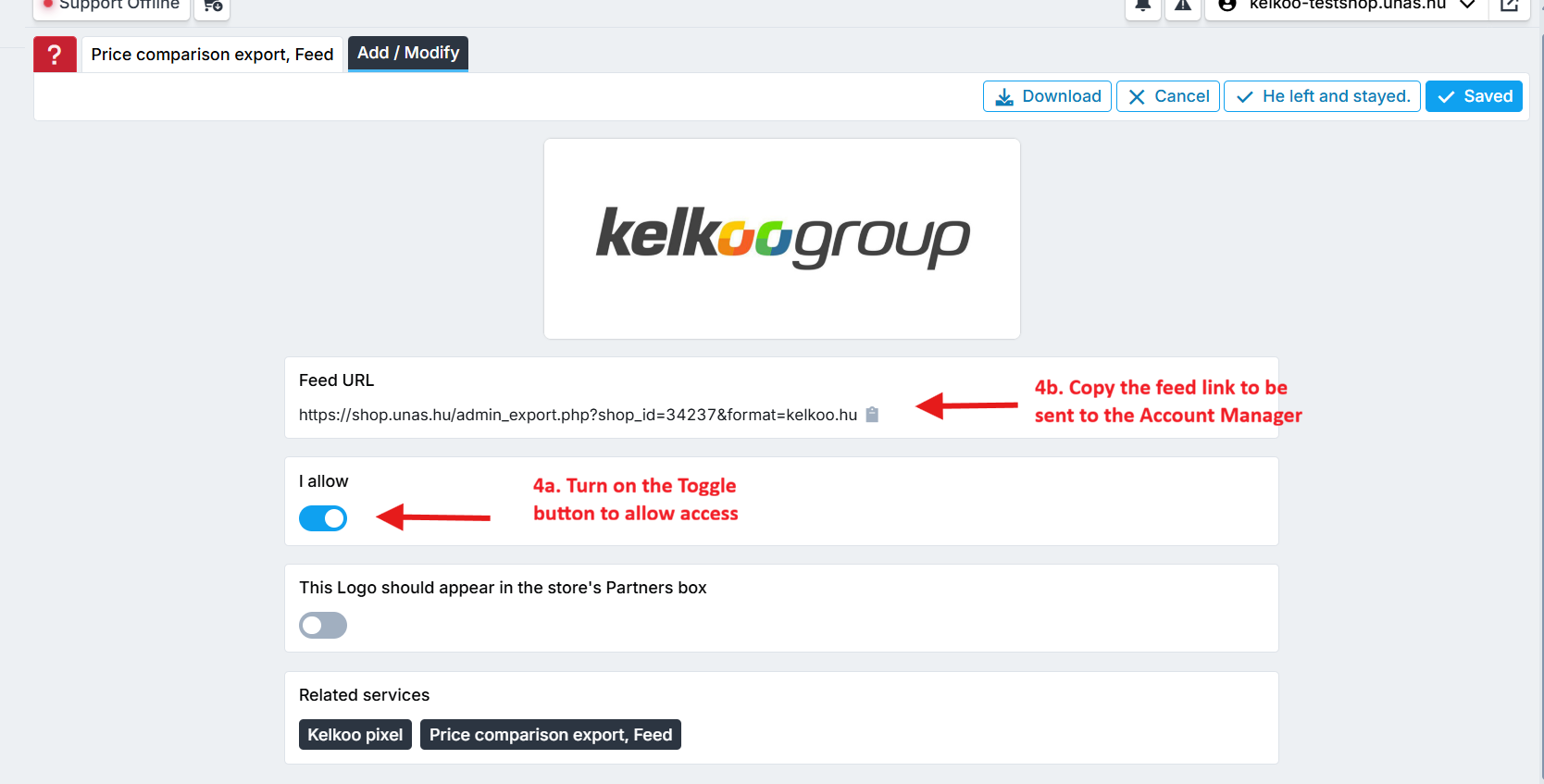
Step 4: Enable the Kelkoo Integration
Once it's ready, copy the Feed URL and share it with your Kelkoo Account Manager.
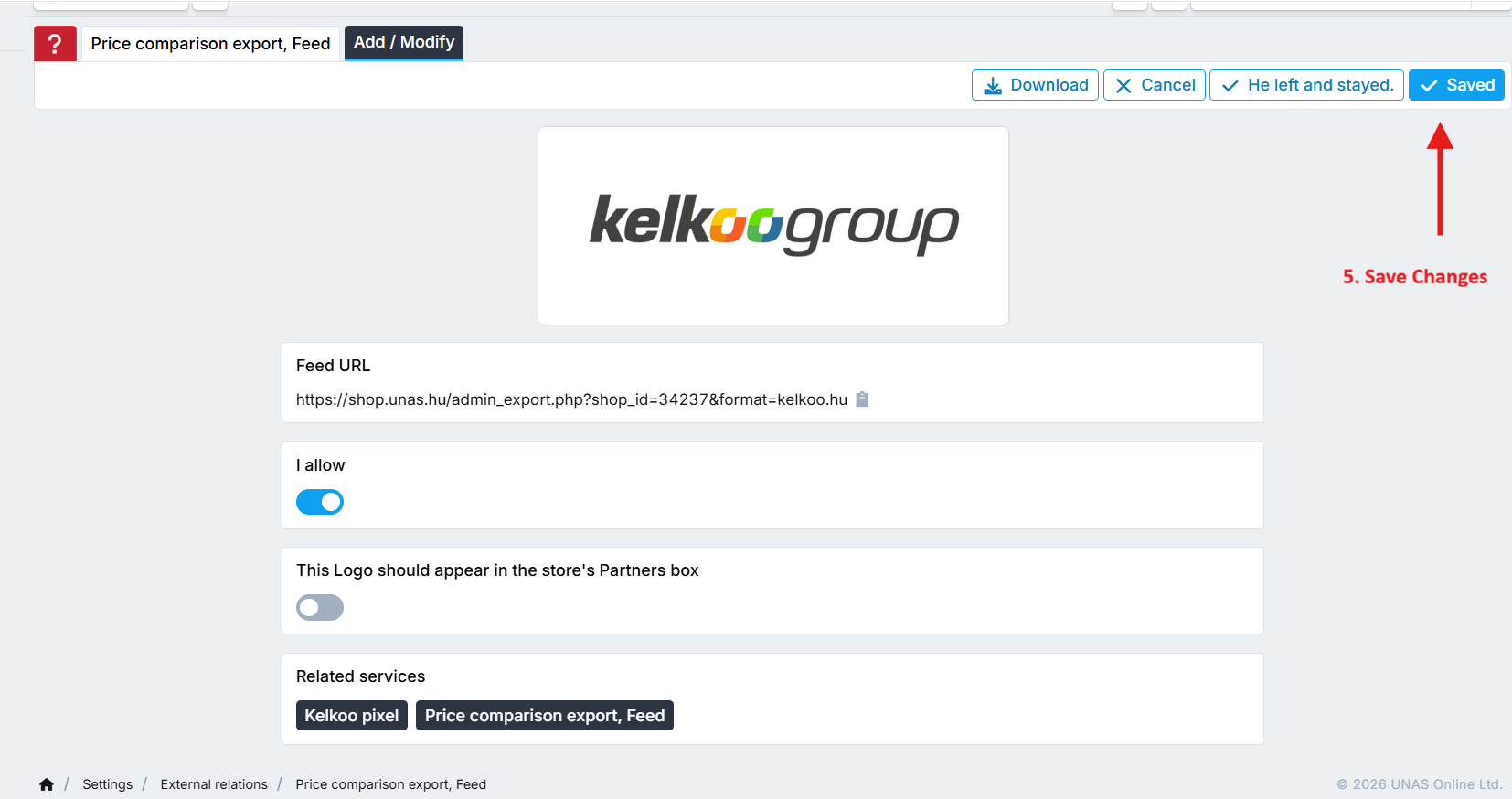
Step 5: Save your changes
Next step: Install Kelkoo Sales Tracking