
Managing Tokens
In order to access the Kelkoo Group Merchant API you must have a token. You can generate these from the credentials page from the left menu of your account.
Additional tokens can be generated if login is associated to multiple persons.
A token is linked to a login. It provides access to all campaigns linked managed by this login.
Tokens are in the form of JWT, JWT is a standard technology used to authenticate the access to resources. It allows to:
-
enhance security by signature verification
-
grant access to resources
-
identify who access the resource
How to generate token
In the left menu click in API Credentials to access to management page (see image below)
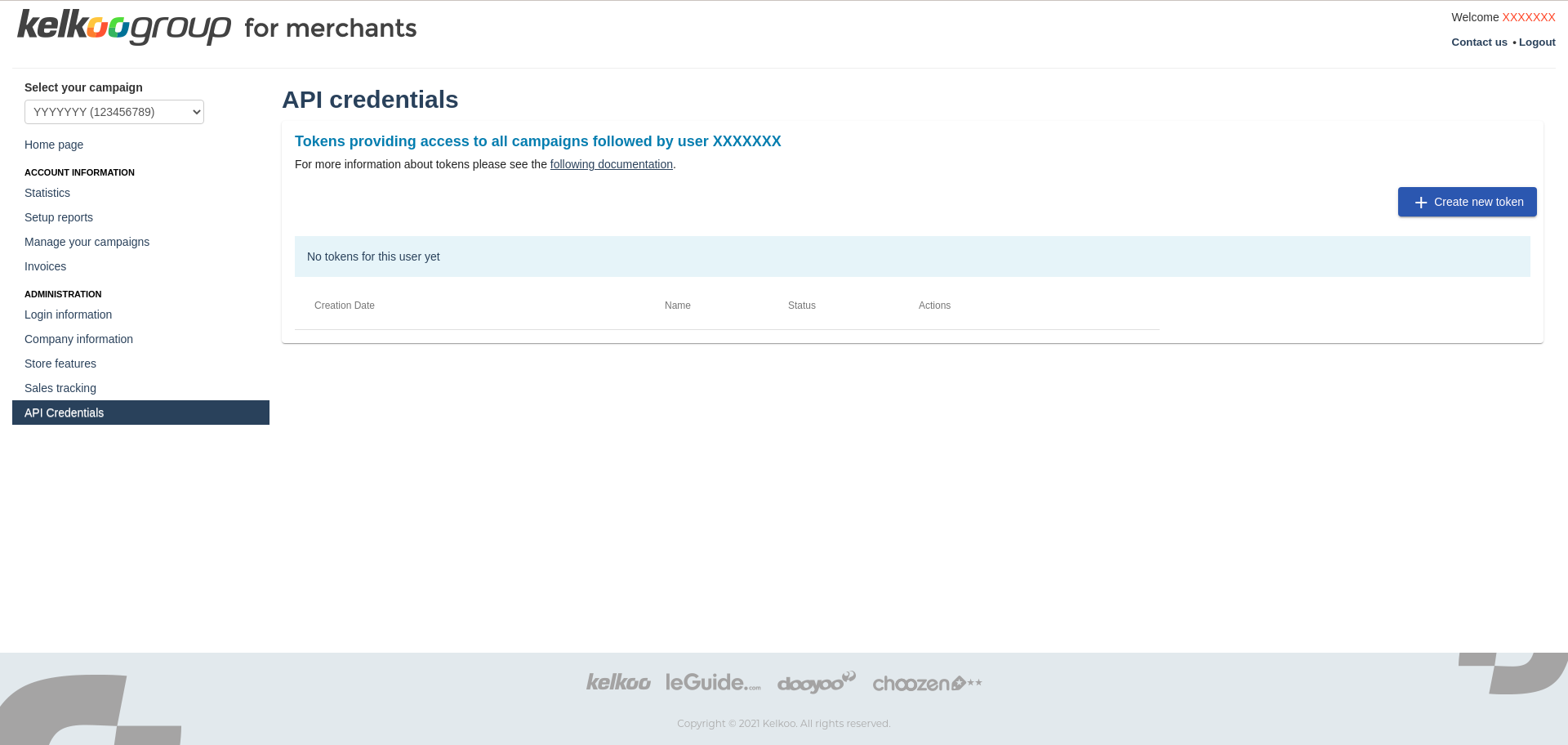
Then click in Create new token and the following screen should appear to create your token in 3 steps
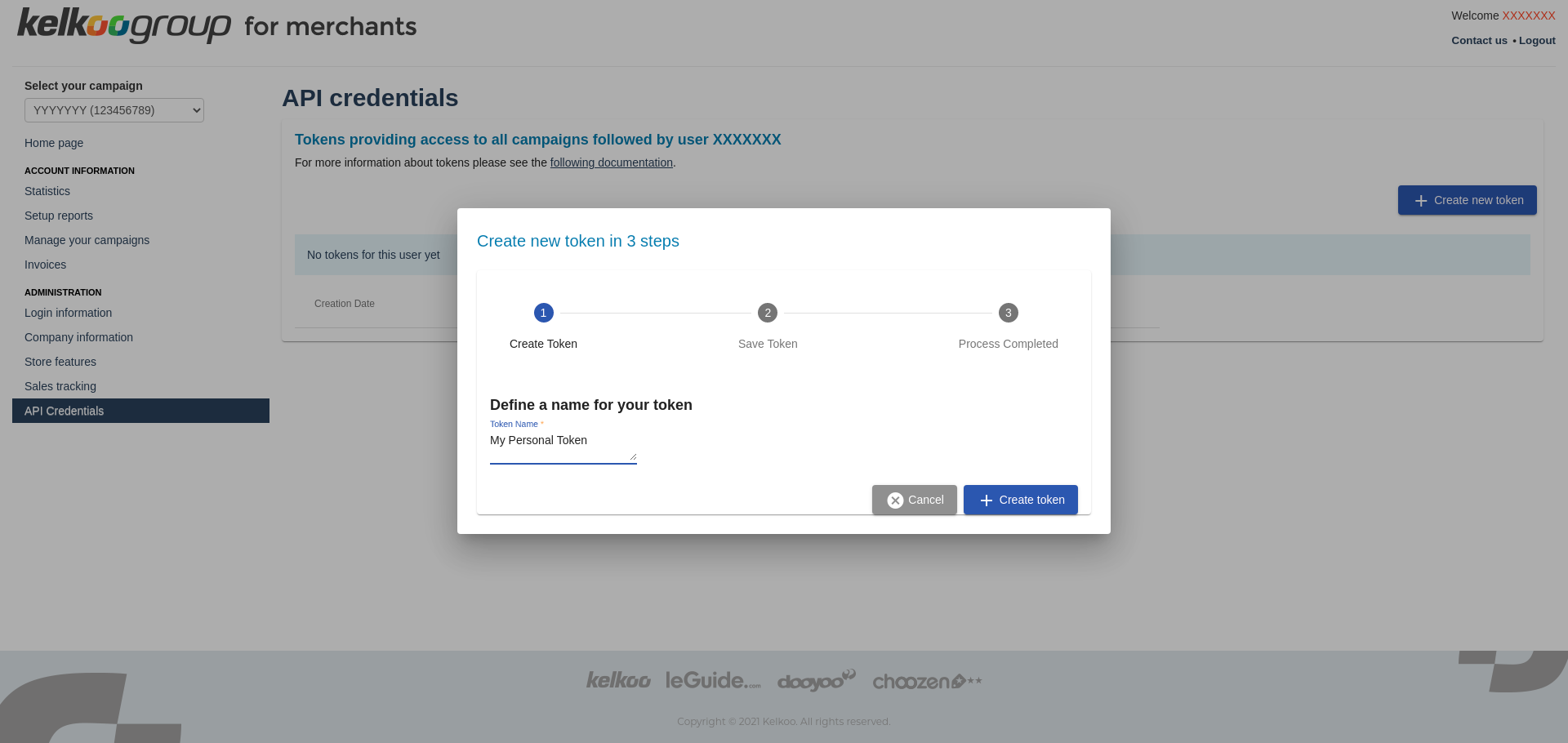
Fill Token name and click in Create token
The token is now created and JWT is displayed in step 2
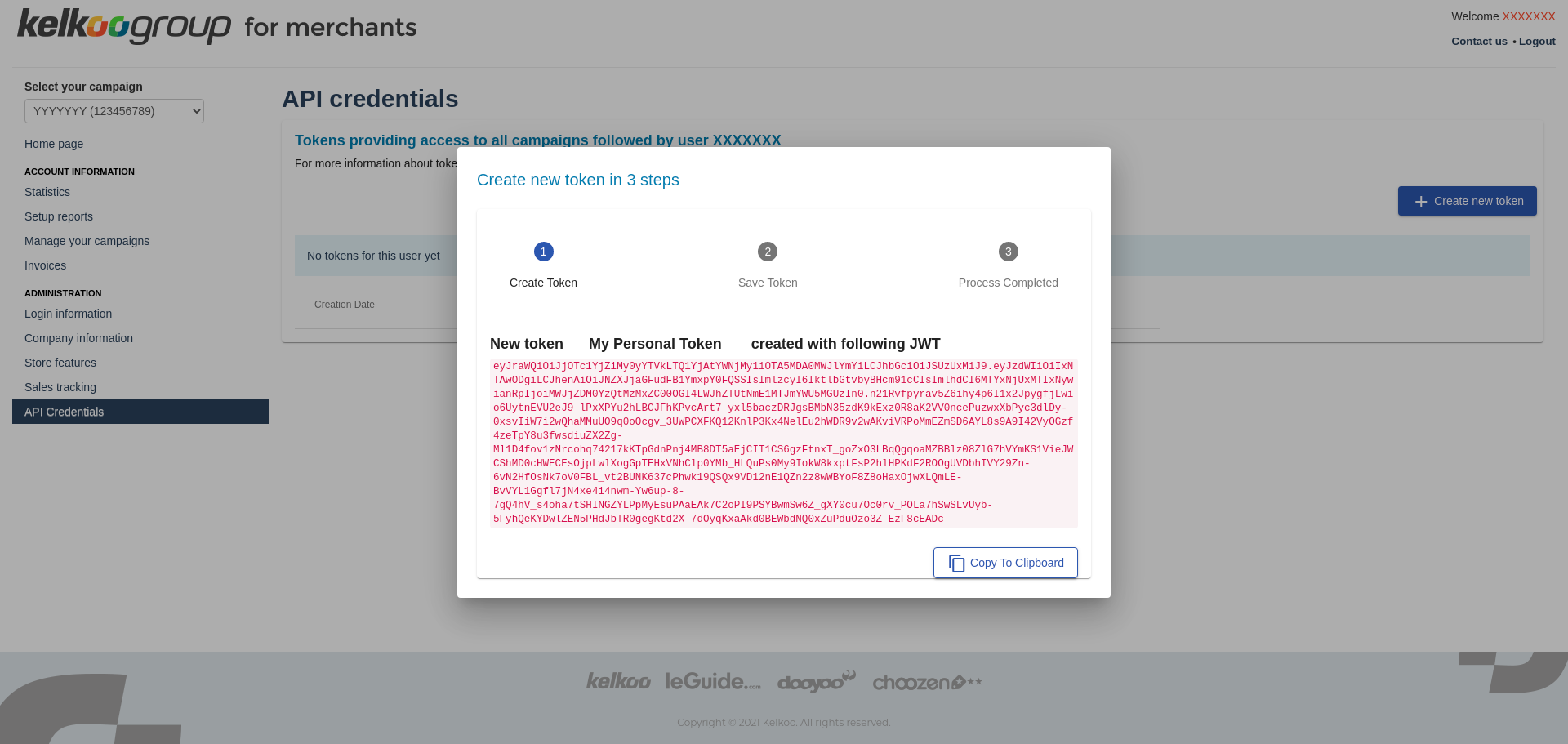
Click in Copy to clipboard to copy your JWT and reach step 3
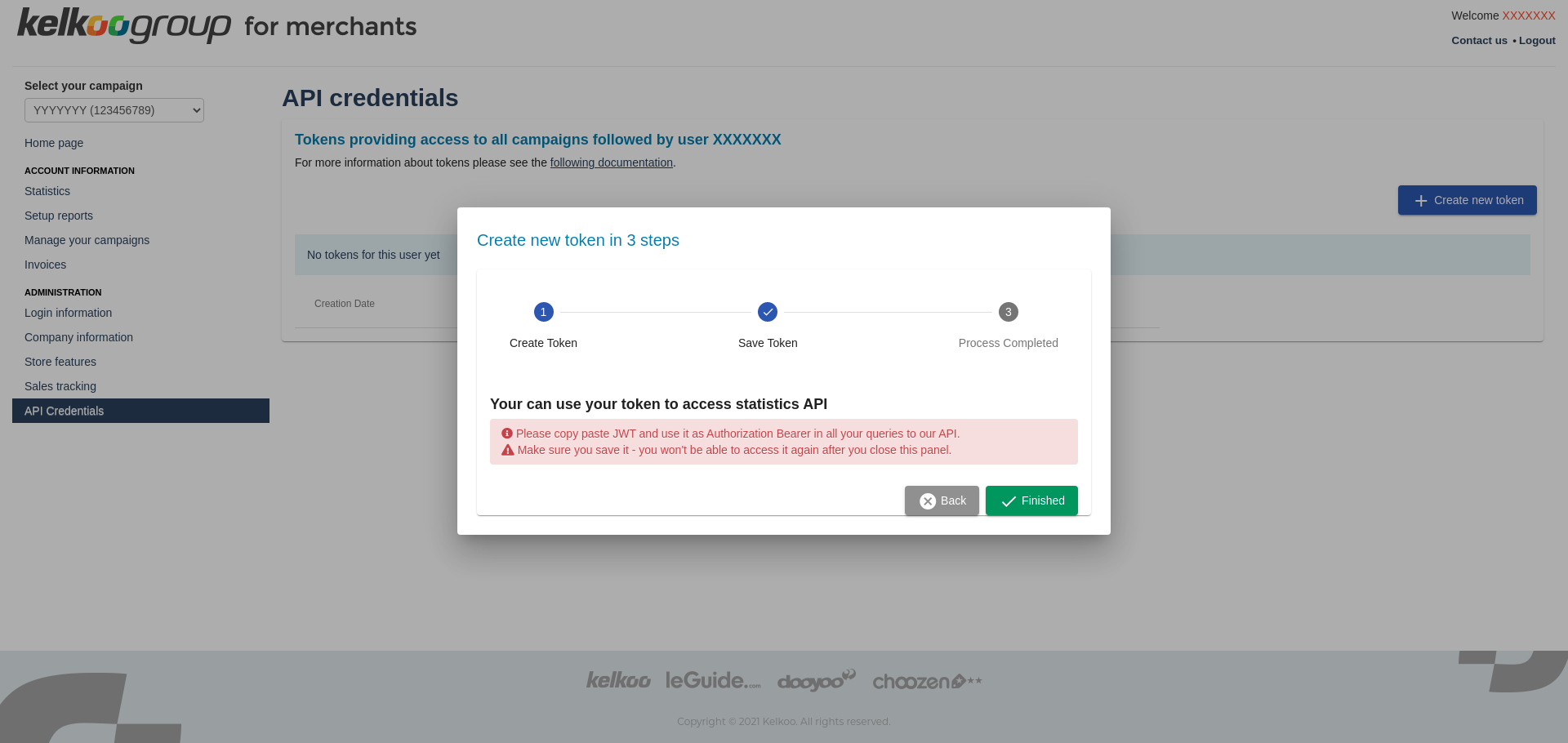
The generated token is not stored in our systems, however we're able to verify its authenticity. As it is not stored, it is important for you to copy the generated token, and save it in a secure place before navigating outside the current page. If token is lost or stolen, you should revoke it immediately to avoid misuse.
Click on Finished to return to main page where you can see your new token.
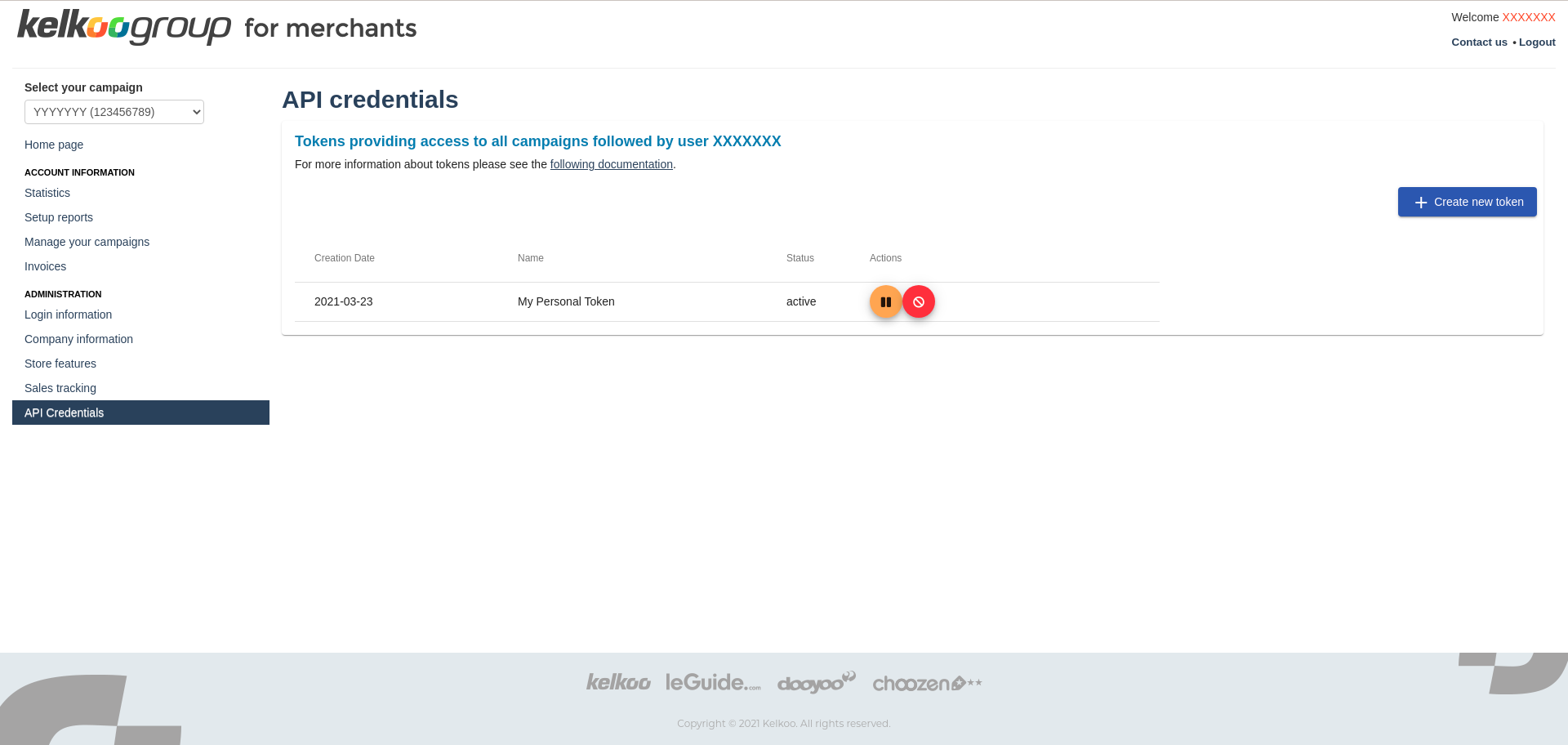
To revoke permanently a token, click in the revoke red button. This action is not reversible
To pause a token, click in the pause orange button. This action is reversible by clicking the play button for the token.
How to use the token
For details of how to use the generated token please see JWT Guide.